Course operations
Organise courses, learning levels, materials and enrolment rules. Check how administrators publish changes and how learners see the right version.

Learning workflow
Help learners find approved course information and reach the right support person.
Help learners find approved course information and reach the right support person.
The work, in detail
Repeated questions about course access, schedules and materials can distract educators and delay learner support.
Ground assistance in the course information the learner is permitted to access.
Use retrieve approved course and support content within the agreed scope of learner support assistants. Define the responsible owner, the relevant source records and the checks that make the output useful.
Use show relevant sources with the response within the agreed scope of learner support assistants. Define the responsible owner, the relevant source records and the checks that make the output useful.
Use hand uncertain or sensitive questions to a person within the agreed scope of learner support assistants. Define the responsible owner, the relevant source records and the checks that make the output useful.
Approved knowledge sources, representative questions, access rules and an accountable support owner.
Review source accuracy, missing-context handling and escalation quality. Academic judgement and assessment decisions remain with educators.
What takes shape
Final scope is agreed after discovery. These are the working outputs we can shape around your context.
Define the records, permissions and interfaces needed for source-linked learner answers. Review a working example with the process owner before widening scope.
Connect missing-context handling to a named reviewer and an action path. Include empty states, incomplete records and recovery behaviour in acceptance checks.
Document the production, review and maintenance of educator and support escalations. Keep the handover practical for the people supporting the system.
A connected delivery path
Establish the source records and the intended result. For Learner Support Assistants, confirm the input quality and permission boundaries before processing.
Connect the approved sources and apply the task-specific checks. Keep missing information and uncertain results visible for review.
Review representative outputs and exceptions with the accountable owner. Agree what may proceed and what requires correction or escalation.
Prepare for a useful conversation
Bring representative approved course content and representative questions. Use synthetic or approved records when exploring the workflow; agree handling rules before live data is introduced.
Identify the business owner and the people who will use or review the output. For Learner Support Assistants, confirm who can approve changes and resolve exceptions.
Describe what works today, where it breaks down and how the proposed workflow will be reviewed. Compare quality and correction effort as well as speed.
Learning and knowledge access
Connect course administration, content discovery and support around the learning journey. Keep the information current and make it clear when an instructor or administrator needs to help.
Organise courses, learning levels, materials and enrolment rules. Check how administrators publish changes and how learners see the right version.
Answer questions from approved learning material with source references. Route uncertainty, personal circumstances and assessment disputes to a person.
Define what completion means before building certificates or dashboards. Verify access, progress records and recovery when a session or upload fails.
Define success before delivery
Choose a representative sample, record the current baseline and agree who accepts the result. These are evaluation criteria to discuss, rather than promised outcomes.
Successful access to the right course material
Support answer relevance and source coverage
Accuracy of progress, completion and administration records
Assistants should not replace academic judgement or make consequential learner decisions. Personal learner records need role-based access and agreed retention rules.
Inside Learner Support Assistants
Approved source material
Integration scope to confirm
Outputs to agree in discovery
From the project library
Explore the product patterns and operating context relevant to learner support assistants. Each profile explains its own scope and stage; adjacent examples do not imply the same solution has already been delivered.
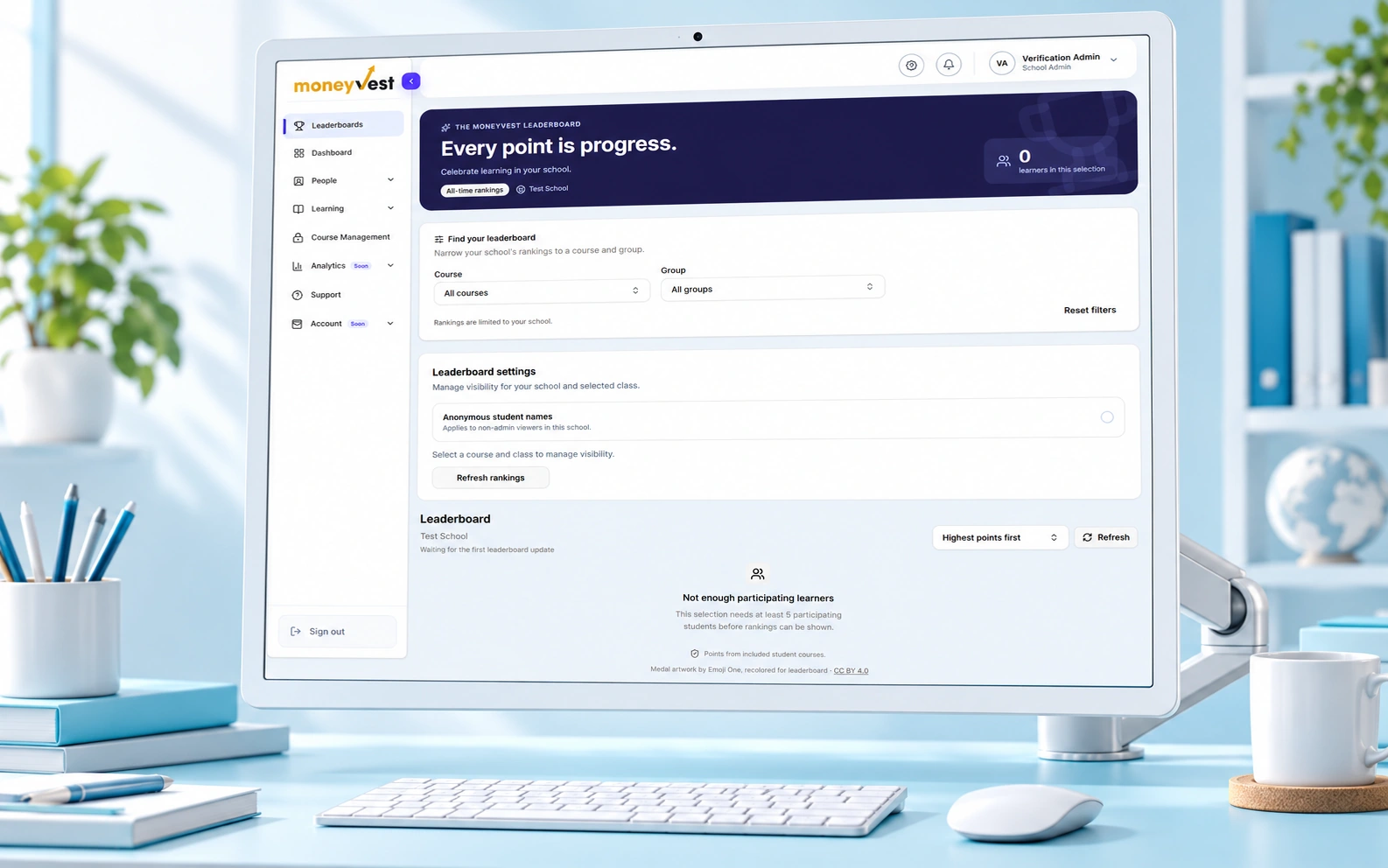
In development · AI presentation artwork · screen reference
A branded administration frontend organizes course structures, content attachments and certificate layout workflows.
Learning administrators need a tailored interface for maintaining courses, modules, media and certificates.

Customized starter · AI concept visualization · project scope
A Vue course interface is paired with LiveKit session clients and agent components for conversational assistance.
Visitors exploring technical training need help understanding courses and finding relevant information.
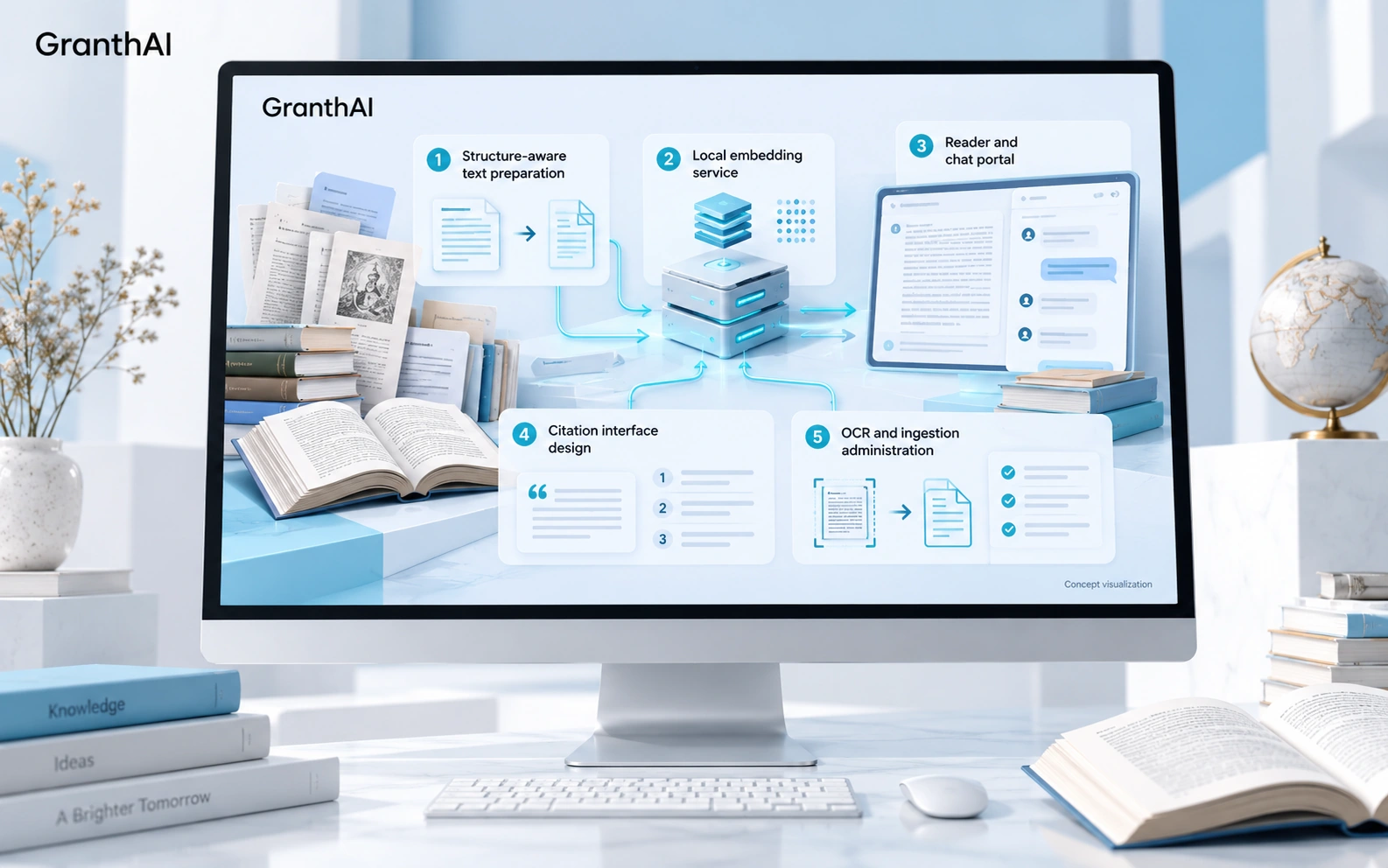
Prototype · AI concept visualization · project scope
Document preparation and local embeddings support a planned reader/chat portal, while administration screens cover ingestion and quality review.
Readers need to search multilingual books without losing the relationship between original passages and their explanations.
Project profiles describe their available scope and development stage. Interface captures, documentation and workflow concepts are labelled separately; they are not claims of measured business results.
Before we begin
Start with the current task, its owner and the systems involved. Representative approved course content, representative questions, access rules, support ownership help us assess scope. A finished technical brief is not required.
Scope is agreed after discovery. A useful starting point is source-linked learner answers, with the essential review path and an acceptance check. Missing-context handling and Educator and support escalations can follow where the operating case supports them.
We assess learning content, identity and enrolment tools, course administration for permitted access and usable interfaces. Integration feasibility, data quality and ownership are confirmed before implementation commitments.
Agree examples, failure cases and acceptance criteria before the build. Review source traceability, correction effort, access boundaries and the handover into everyday operations. We do not promise a fixed saving or performance figure before that assessment.